FontImage(文字列イメージ)
Scratch3 Fontを指定
Scratch3のscratch-renderに梱包されているフォントを使用することができます。
『Ts.ScratchFontFamily』
typescript
// SansSerif
Ts.ScratchFontFamily.SansSerif
// Serif
Ts.ScratchFontFamily.Serif
// Handwriting
Ts.ScratchFontFamily.Handwriting
// Marker
Ts.ScratchFontFamily.Marker
// Curly
Ts.ScratchFontFamily.Curly
// Pixel
Ts.ScratchFontFamily.Pixel
// Scratch
Ts.ScratchFontFamily.ScratchSansSerif

Serif

Handwriting
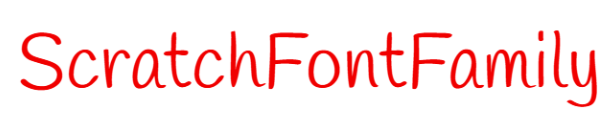
Marker

Curly
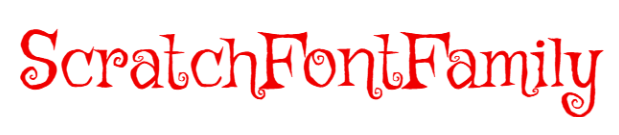
Pixel

Scratch

『Ts.FontImage』
テキストをSVGイメージに変換するメソッドを持つ『Ts.Image』の拡張版です。
typescript
import { Typescratcher as Ts } from "@tscratch3/typescratcher";
import type { Sprite, FontImageAttribute, SvgImageAttributes } from "@tscratch3/typescratcher";

const attribute : SvgImageAttributes = {
    fill : '#f0f0f0', // 文字色
    font_family: Ts.ScratchFontFamily.Scratch // Scratch3のフォントを使用
};
const fontImageAttr : FontImageAttribute = {
    text : "Hello TypeScratcher's World!",
    attributes : attribute,
}
// 属性を指定して、FontImageを作成
const helloImage = new Ts.FontImage( FontImageAttribute );

// スプライトを作成
const helloSprite = new Ts.Sprite( 'hello' );
// コスチュームとして FontImageを設定
helloSprite.Costume.add( helloImage );

// 開始
Ts.engine.start();文字を表示するスプライト
上記で作るスプライトは、文字列画像をコスチュームとするものです。
スプライトがもつメソッドは全て使用可能です。